How It Works Features Pricing FAQ Guides Blog Sign In Request a trial
Existing cameras → floor analytics

Floor analytics from the cameras you already run

For cafe and small-retail owners: see footfall, rush windows, queue pressure, and staffing fit — then conversion tension when POS is connected. One dashboard. No new cameras required.

Works with Hikvision · Dahua · Axis · Shopify · Square · Lightspeed + more
SoraData — Example dashboard PREVIEW · Illustrative
Conversion tension
9.4%
↑ 1.2% vs last week
Today's footfall
1,247
Sites online
Sales vs footfall
● Visitors ● Sales

Example / illustrative numbers only — not live customer data.

Example floor dashboard

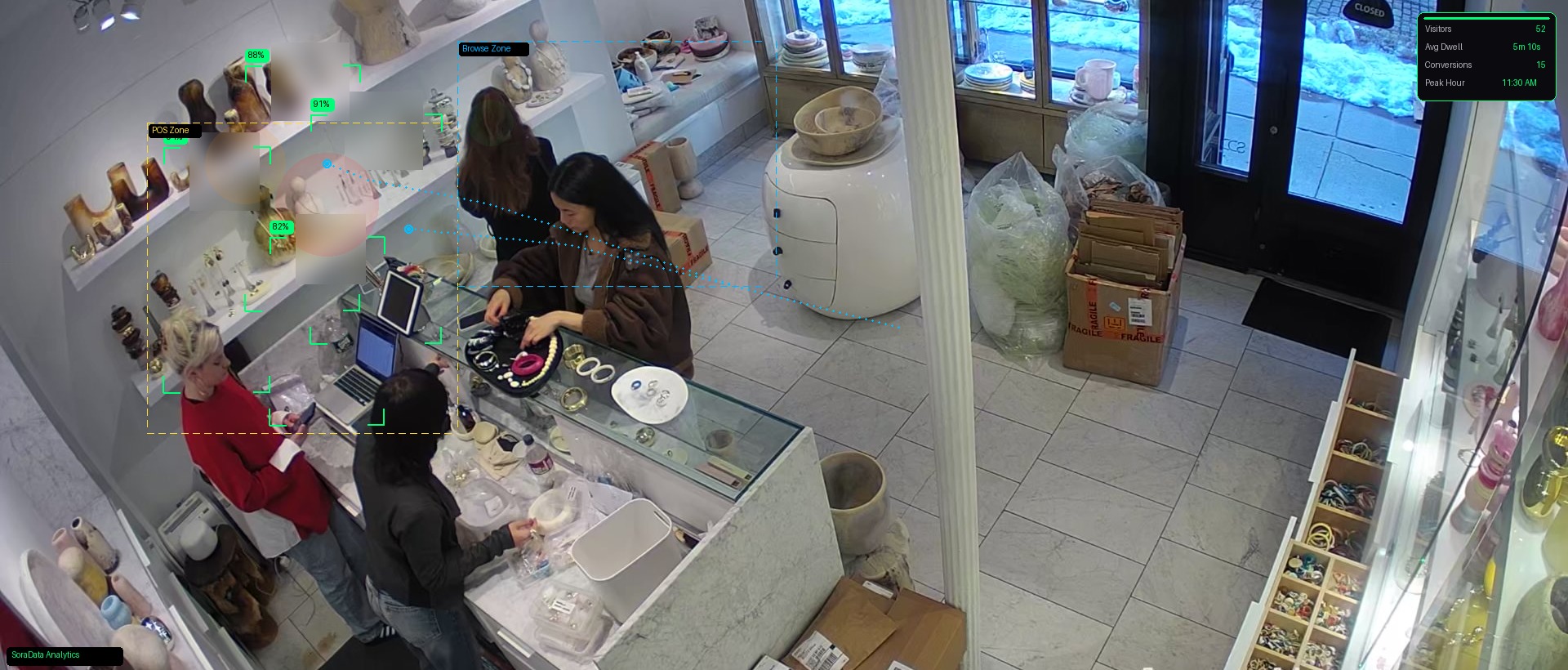
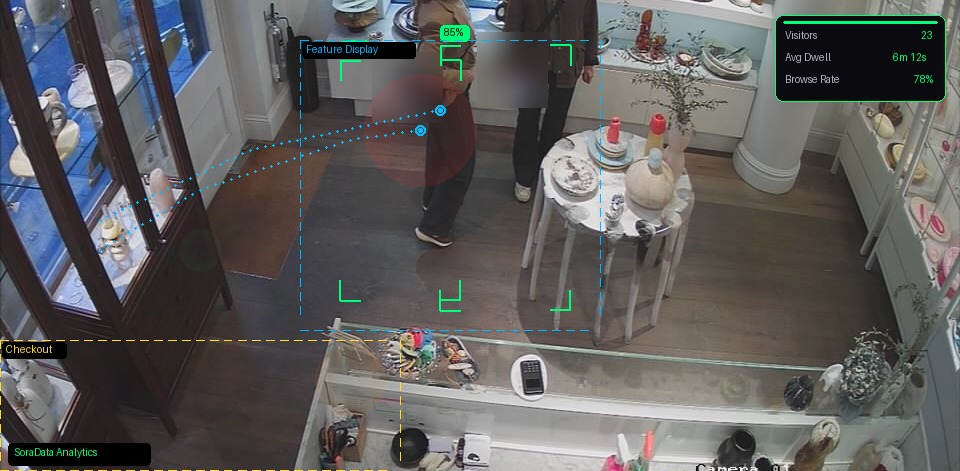
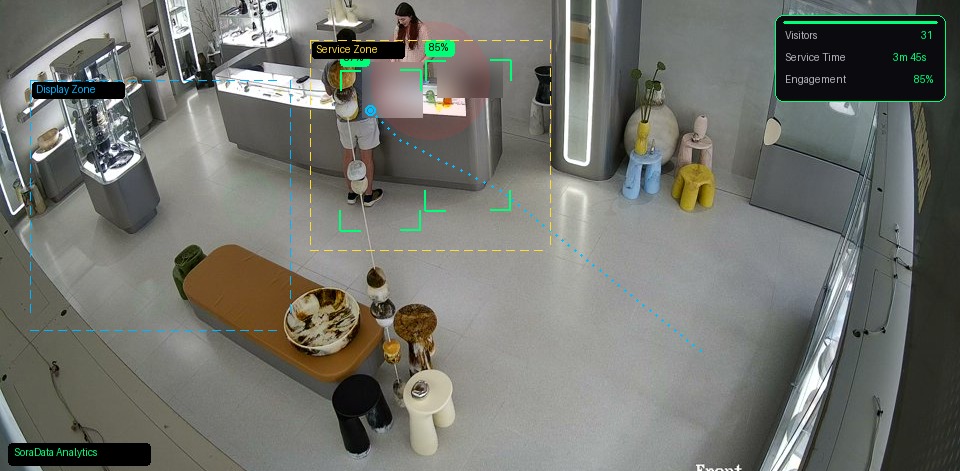
How cafe and small-retail floor analytics can look. Example views only — not live camera feeds, not a customer case study.

Example floor analytics — site A
PREVIEW
👥 4
Today 15:35:20

Example site A

147Footfall today
8.2%Conversion
3m 12sAvg dwell
Example floor analytics — site B
PREVIEW
👥 5
Today 13:19:36

Example site B

203Footfall today
11.4%Conversion
4m 08sAvg dwell
Example floor analytics — site C
PREVIEW
👥 1
Today 10:52:32

Example site C

89Footfall today
12.1%Conversion
5m 44sAvg dwell
What you see once cameras connect

Your cameras already cover the floor. SoraData turns that into footfall, queue, and staffing insight — not a surveillance headline.

1

Footfall & rush windows

See how many people walk in by hour and by site. Spot the lunch crush and the quiet gaps without standing at the door with a clicker.

2

Queues & conversion tension

Busy floors that still miss sales show up as tension between traffic and transactions — especially once POS is connected. Check any site from your phone.

3

Staffing fit to real traffic

Roster against patterns you can see: under-staffed rushes, over-staffed lulls, and multi-site comparison on one screen.

Dig deeper: run a cafe without being there · queues as “proof of popularity” · time-to-serve

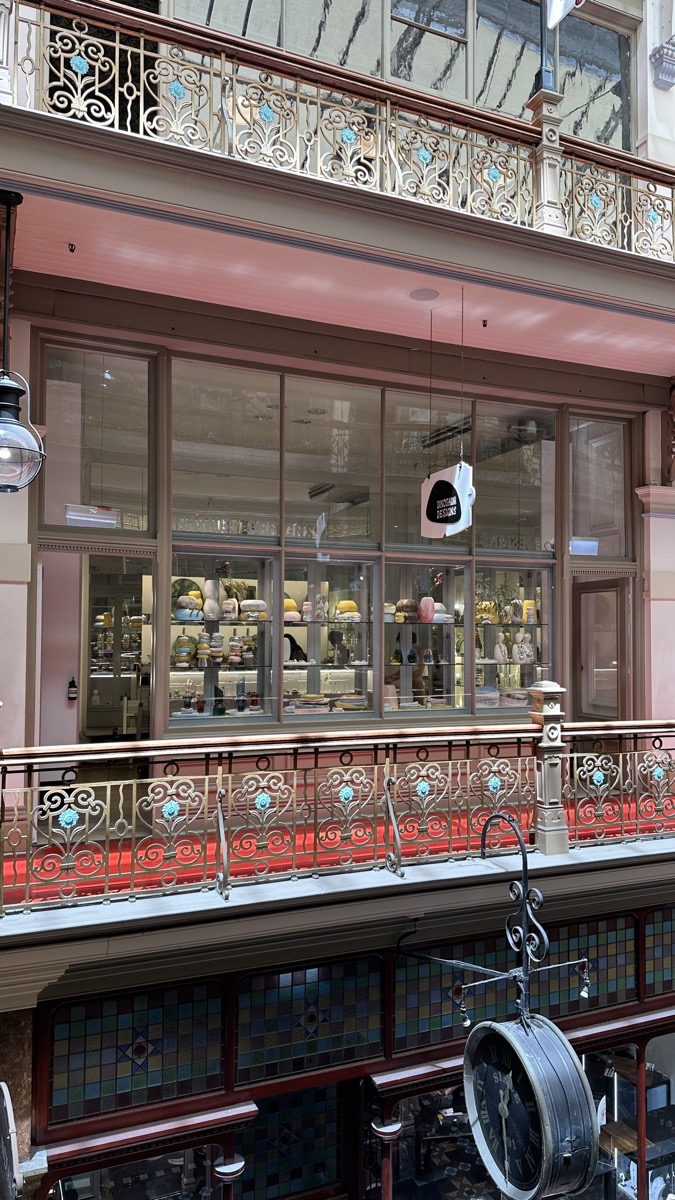
Sydney arcade — atmosphere

When the lunch rush hits and only one person is on

Picture a busy cafe or small retail floor. A large share of the day’s footfall can land in a short window — say midday — while the roster stays thin. Queues form, people leave, and sales feel “busy but soft.” The cameras already see that rush. The gap is matching staff to traffic.

That is the point of SoraData: see when people actually walk in, then roster to match — not to a guess. This is an illustration of the problem, not a customer case study, and not a published lift. The photos are atmosphere.

Retail interior — atmosphere

Simple, transparent pricing

No new camera hardware. No lock-in contracts. Prices in A$ (AUD). Request a trial — then upgrade when you’re ready.

Already on a trial? Continue with Starter or Pro →

Starter

A$29/mo per site
Floor analytics to get started
  • Footfall / visitor counting
  • POS connection (when ready)
  • Conversion tension tracking
  • Hourly, daily & weekly trends
  • Email reports
  • Up to 4 cameras per site
Request a trial

Enterprise

Custom
For multi-site cafe & retail groups
  • Everything in Pro
  • Unlimited sites & cameras
  • Dedicated account manager
  • Custom integrations & API
  • SLA & uptime guarantee
  • Staffing-to-traffic insights
Book a demo

Floor analytics on cameras you already trust

Footfall, trends, and conversion tension — layered on your existing cameras and POS. Not a spy kit.

👥

Footfall counting

People counts from the cameras you already run. AI counting — no door sensors or new hardware required.

📊

Conversion tension

Connect footfall to POS sales when you’re ready. See busy-but-soft hours by site — without inventing a lift percentage.

🏬

Multi-site dashboard

Every cafe or shop in one view. Compare footfall and patterns, spot outliers, manage the group without hopping NVRs.

📈

Footfall trends

Hourly, daily, and weekly patterns. Know rush windows, quiet gaps, and how the week actually behaves.

📹

Visual floor check

Quick look at any site, anytime. See the floor without digging through NVR footage — ops clarity, not a surveillance pitch.

🔔

Open/Close Alerts

Know exactly when staff open up and close down. Get notified of late openings so you never miss trading hours.

👷

Staffing-to-traffic fit

Match roster levels to real footfall. See when you’re thin in the rush or heavy in the lull — so you can adjust the next shift.

🛡️

After-Hours Security

Motion alerts when your store should be empty. Peace of mind without a separate security monitoring contract.

🔥

Heatmaps

See where customers spend time in your store. Optimise layouts, displays, and product placement.

Coming Soon
Cameras
HikvisionDahuaAxisHanwhaBoschUniviewAny ONVIF/RTSP
POS & Commerce
ShopifySquareLightspeedVendHike POSKountaRetail Express
Accounting
XeroMYOBTyro

Footfall alone doesn’t run the floor

0walk-ins
×
9.4%convert
=
0sales

Illustrative only: if conversion moved from 9.4% to 11% on the same footfall, that’s 8 more sales in that day. Not a customer result — simple arithmetic.

Busy floors still miss sales

Most owners see till totals or camera clips — rarely both together. SoraData connects footfall to POS when you’re ready, so you can see conversion tension by hour and by site.

No invented lift percentages here. The job is to show the pattern so you can change roster, queue handling, or layout on the next shift.

  • Compare sites on footfall vs sales
  • See whether promos move conversion or just traffic
  • Spot thin-roster rushes that feel “busy but soft”
  • Read more: queues · time-to-serve

Guides & floor notes

Practical owner reading — till integrity, phone CCTV, absentee ops, queues, and time-to-serve. No invented stats.

Browse Guides → Read the Blog → Trial → paid plans

Frequently asked questions

No. SoraData works with your existing IP camera system — Hikvision, Dahua, Axis, Hanwha, Bosch, Uniview, and most ONVIF-compatible cameras. If you already have cameras on the floor, you’re set. See also security cameras for a cafe.

No — and we don’t sell it that way. SoraData is floor analytics: footfall, rush windows, queue/staffing context, and conversion tension when POS is connected. Visual checks and open/close alerts exist for ops clarity. For AU employer CCTV questions, read our high-level guide (not legal advice).

Our AI analyses your existing camera feeds to detect and count people. It works with standard overhead or angled positions — no dedicated sensor bars required.

Many sites finish camera credentials and a short setup in under 20 minutes. POS connection is optional at start and can follow. No site visit required for the trial path.

We process video feeds for analytics only. We don’t store raw footage — analytics data (counts, timestamps, alerts) is stored securely in the cloud. Your video stays on your NVR.

Marketed integrations include Shopify, Square, Lightspeed, Vend, Hike POS, Tyro, Xero, MYOB, Kounta, and Retail Express. More are added over time. Need something else? Tell us in the trial form.

Yes. Request a 14-day trial below — no credit card. You’ll get an email to sign in with Google (same work email), finish a short camera setup, then we help with ingest if needed. When you’re ready, upgrade to Starter or Pro (A$).

If your cameras support ONVIF or RTSP (most modern IP cameras do), there’s a good chance we can connect. Request a trial and we’ll confirm compatibility. Phone viewing basics: view CCTV on your phone.

See the floor — without guessing

Tell us about your cafe or shops. No credit card. After you submit, sign in with Google to finish setup.

Request a trial

Takes a minute. Use your work email — you’ll sign in with that same Google account.